
Sample video · Press play
Car stunt
About 14 seconds · Landscape
Create a Roadster AI video from your photo. Choose Tesla Roadster AI-inspired kickflips or flying car ramp jumps.
One photo. 9 ways to make it fly.
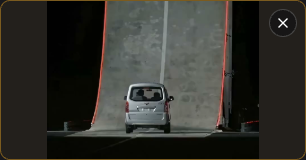
Selected: The Complete Ramp Stunt· 14s · 4:3
Photos are checked when you generate, before credits are charged
Not just cars. Watch cars, bicycles, carriages and skateboarders climb the ramp,
flip through the air and land in smoke.
About 14 seconds · Landscape
About 15 seconds · Landscape
About 14 seconds · Landscape
About 14 seconds · Landscape
Owner-supplied sample videos for illustration. Videos generated here are silent.
Start with one photo. Choose the quality. Download your finished stunt.
 01
01Choose a clear photo with one complete subject and its distinctive features in frame. The subject does not need to be a vehicle.
JPG, PNG, WebP · Up to 10 MB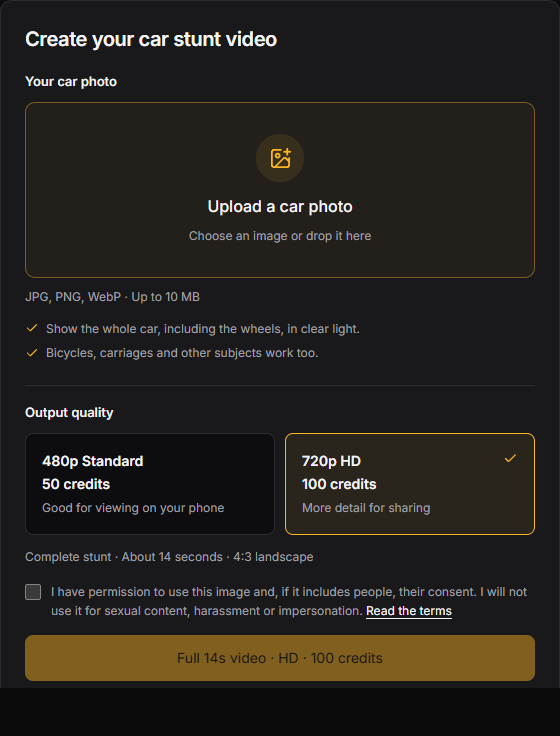 02
02Select 480p for 50 credits or 720p for 100 credits. Confirm you can use the image, then generate the complete stunt.
About 14 seconds · 4:3 landscape · Silent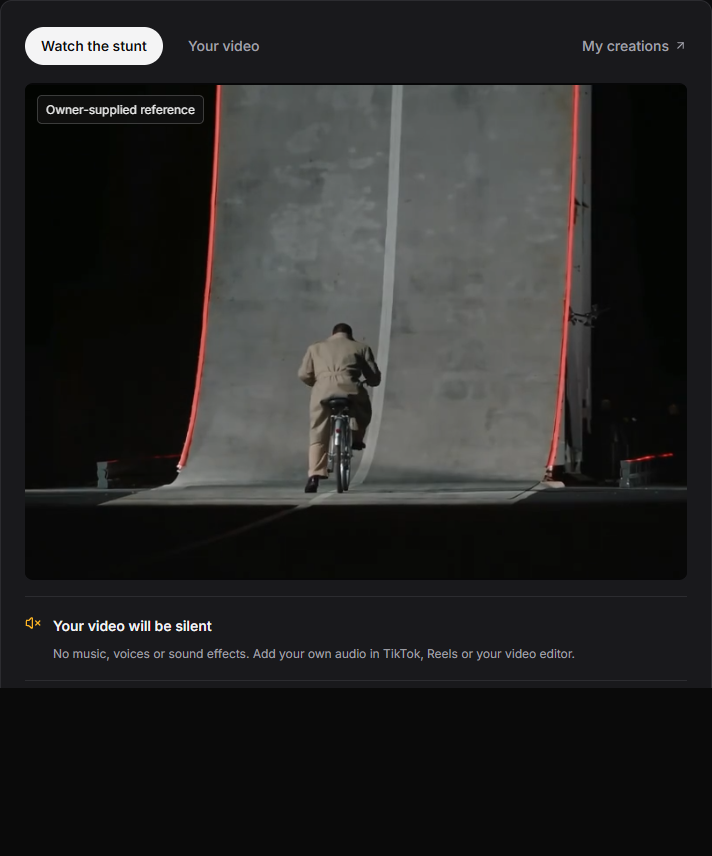 03
03Watch your finished video here or in My creations, then download it. Add music in TikTok, Reels or your editor before posting.
Preview · Download · Add your own audioNo prompt to write. No reference video to upload.
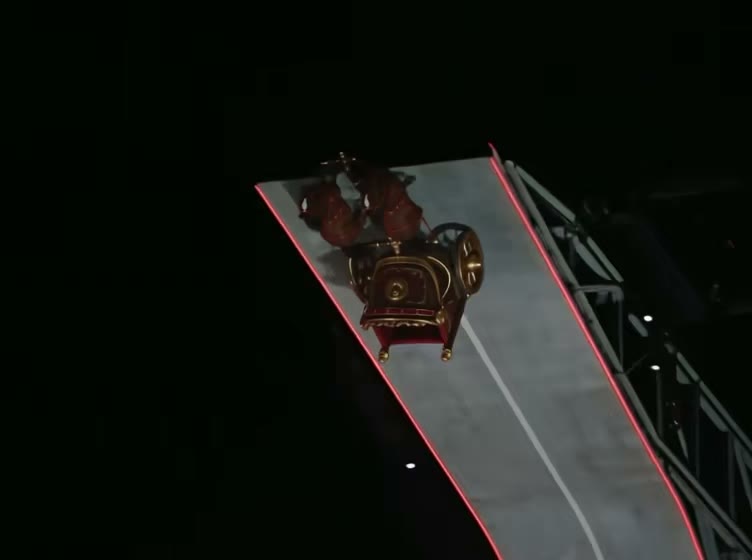
A stunt sequence that takes your subject up a steep ramp, into a mid-air flip and down to a smoky landing. Your photo guides its appearance; the built-in reference guides the scene and camera movement.
Use one sharp photo with the whole subject in frame. Its shape and features guide the replacement. No stunt pose or matching background is needed.
About 14 seconds in 4:3 landscape, in 480p or 720p. The video is silent, so add music or sound effects when you share it.
Upload my photo50 credits for 480p or 100 for 720p. Packs start at $6.99. Pay once, with no subscription; purchased credits never expire.
The reference shows the target effect; generated results can vary. Review the photo tips and effect notes before purchasing.
$6.99
50 credits for 1 Standard video (480p).
One-time purchase · Credits never expire
$9.99
100 credits for 1 HD video (720p), or 2 Standard videos (480p).
One-time purchase · Credits never expire
$16.99
200 credits for 2 HD videos (720p), or 4 Standard videos (480p).
One-time purchase · Credits never expire
$24.99
300 credits for 3 HD videos (720p), or 6 Standard videos (480p).
One-time purchase · Credits never expire
No subscriptions. No recurring charges. Credits are added after payment is confirmed.
AI results can vary. Confirmed generation failures return your credits automatically. Refund policy →
Kickflips, ramp launches and trackside moments. One photo, a whole new scene.
Browse the full template library ↗The complete curved-ramp climb, mid-air flip and smoky landing. One photo. One cinematic stunt.
Replace the designated hero in [Video1] with the main uploaded subject in [Image1]. The photo determines the replacement subject's appearance; the video supplies the motion, timing, camera and scene. Use the uploaded subject itself, regardless of its category. Preserve the uploaded subject's shape, silhouette, proportions, colors, material, texture and distinctive visible features. Infer unseen surfaces consistently with the photo. Do not reshape it into the source vehicle, blend the two identities or add automotive parts to make the motion possible. Ignore the photo's background and unrelated objects. The source hero is the moving cyclist AND bicycle together, including the rider in the final close-up. Replace that entire assembly in every shot with the selected photo subject; leave no original bicycle or rider behind unless they belong to the selected subject in [Image1]. Follow the approach, curved-ramp climb, launch, midair flip, leveling, smoky landing and final close-up as shown. Preserve the existing changes of camera angle and cut points, ramp, red edge lights and ground plane; this is not a single fixed-camera shot. Transfer the reference hero's trajectory, height, orientation, rotation and timing to the uploaded subject as a whole, keeping its own form throughout. Keep the same identity across every camera cut and occlusion through the final visible frame. Never switch back to the original hero or leave a duplicate. Integrate the subject with consistent volume, scene lighting and contact; motion and scene effects do not require changing its structure. Preserve the reference environment and background actors. Adapt scale and framing only as needed to keep the replacement recognizable and fully in view without distorting its proportions. Follow the existing sequence and cuts. No additional stunts, invented scenery, fire exhaust, new captions or logos; omit source captions.
The side view of a Roadster lifting over a parked lineup, rolling in the air and settling through vapor.
Replace the designated hero in [Video1] with the main uploaded subject in [Image1]. The photo determines the replacement subject's appearance; the video supplies the motion, timing, camera and scene. Use the uploaded subject itself, regardless of its category. Preserve the uploaded subject's shape, silhouette, proportions, colors, material, texture and distinctive visible features. Infer unseen surfaces consistently with the photo. Do not reshape it into the source vehicle, blend the two identities or add automotive parts to make the motion possible. Ignore the photo's background and unrelated objects. The source actor to replace is only the moving, airborne stunt vehicle; the white Semi and parked lineup are background and must stay unchanged. Follow the side-view vehicle's actual travel direction and trajectory in [Video1], its lift over the lineup, single roll, leveling and vapor-covered touchdown. Do not reverse the travel direction. Preserve the wide side view, night lighting, ground plane, downward pale gas jets and timing; adapt framing only to fit the replacement subject. Transfer the reference hero's trajectory, height, orientation, rotation and timing to the uploaded subject as a whole, keeping its own form throughout. Keep the same identity across every camera cut and occlusion through the final visible frame. Never switch back to the original hero or leave a duplicate. Integrate the subject with consistent volume, scene lighting and contact; motion and scene effects do not require changing its structure. Preserve the reference environment and background actors. Adapt scale and framing only as needed to keep the replacement recognizable and fully in view without distorting its proportions. Follow the existing sequence and cuts. No additional stunts, invented scenery, fire exhaust, new captions or logos; omit source captions.
A front-facing kickflip, with a Semi and parked vehicles lining up below.
Replace the designated hero in [Video1] with the main uploaded subject in [Image1]. The photo determines the replacement subject's appearance; the video supplies the motion, timing, camera and scene. Use the uploaded subject itself, regardless of its category. Preserve the uploaded subject's shape, silhouette, proportions, colors, material, texture and distinctive visible features. Infer unseen surfaces consistently with the photo. Do not reshape it into the source vehicle, blend the two identities or add automotive parts to make the motion possible. Ignore the photo's background and unrelated objects. The source actor to replace is the moving stunt vehicle approaching along the center axis and rolling above the parked lineup. Do not replace the parked foreground cars or white Semi. Carry the photo subject through the approach, lift, one roll, leveling and descent wherever visible. Follow the reference's front-facing camera position, travel direction, clearance, night floodlights, reflections and downward gas jets with the same vapor timing and existing cuts. Transfer the reference hero's trajectory, height, orientation, rotation and timing to the uploaded subject as a whole, keeping its own form throughout. Keep the same identity across every camera cut and occlusion through the final visible frame. Never switch back to the original hero or leave a duplicate. Integrate the subject with consistent volume, scene lighting and contact; motion and scene effects do not require changing its structure. Preserve the reference environment and background actors. Adapt scale and framing only as needed to keep the replacement recognizable and fully in view without distorting its proportions. Follow the existing sequence and cuts. No additional stunts, invented scenery, fire exhaust, new captions or logos; omit source captions.
A trackside replay of the airborne roll and vapor-covered landing.
Replace the designated hero in [Video1] with the main uploaded subject in [Image1]. The photo determines the replacement subject's appearance; the video supplies the motion, timing, camera and scene. Use the uploaded subject itself, regardless of its category. Preserve the uploaded subject's shape, silhouette, proportions, colors, material, texture and distinctive visible features. Infer unseen surfaces consistently with the photo. Do not reshape it into the source vehicle, blend the two identities or add automotive parts to make the motion possible. Ignore the photo's background and unrelated objects. The hero is the moving stunt vehicle that enters the trackside view and rolls in the air, not the stationary Semi or parked lineup. Replace it throughout the lift, single lateral roll, leveling and vapor-covered touchdown. Keep its photo identity consistent in the dark, during rotation and after emerging from smoke. Follow the actual trackside camera movement, trajectory, clearance, night floodlights and replay timing instead of forcing a fixed camera. Transfer the reference hero's trajectory, height, orientation, rotation and timing to the uploaded subject as a whole, keeping its own form throughout. Keep the same identity across every camera cut and occlusion through the final visible frame. Never switch back to the original hero or leave a duplicate. Integrate the subject with consistent volume, scene lighting and contact; motion and scene effects do not require changing its structure. Preserve the reference environment and background actors. Adapt scale and framing only as needed to keep the replacement recognizable and fully in view without distorting its proportions. Follow the existing sequence and cuts. No additional stunts, invented scenery, fire exhaust, new captions or logos; omit source captions.
The wide shot follows the car up the curved ramp, off its lip and down through a controlled roll.
Replace the designated hero in [Video1] with the main uploaded subject in [Image1]. The photo determines the replacement subject's appearance; the video supplies the motion, timing, camera and scene. Use the uploaded subject itself, regardless of its category. Preserve the uploaded subject's shape, silhouette, proportions, colors, material, texture and distinctive visible features. Infer unseen surfaces consistently with the photo. Do not reshape it into the source vehicle, blend the two identities or add automotive parts to make the motion possible. Ignore the photo's background and unrelated objects. The source actor to replace is the moving vehicle climbing the curved ramp; keep the ramp and any stationary vehicles unchanged. Show the photo subject from its approach up the wall through the inverted crest, airborne attitude correction, downward pale gas jets, landing and final exit motion. Follow the full side-view sequence and reference timing. Preserve the ramp geometry, red edge lights, night setting and vapor. Keep the complete photo subject visible without altering its shape or losing its defining features. Transfer the reference hero's trajectory, height, orientation, rotation and timing to the uploaded subject as a whole, keeping its own form throughout. Keep the same identity across every camera cut and occlusion through the final visible frame. Never switch back to the original hero or leave a duplicate. Integrate the subject with consistent volume, scene lighting and contact; motion and scene effects do not require changing its structure. Preserve the reference environment and background actors. Adapt scale and framing only as needed to keep the replacement recognizable and fully in view without distorting its proportions. Follow the existing sequence and cuts. No additional stunts, invented scenery, fire exhaust, new captions or logos; omit source captions.
A closer angle reveals the vehicle rotating away from the ramp and leveling under visible gas jets.
Replace the designated hero in [Video1] with the main uploaded subject in [Image1]. The photo determines the replacement subject's appearance; the video supplies the motion, timing, camera and scene. Use the uploaded subject itself, regardless of its category. Preserve the uploaded subject's shape, silhouette, proportions, colors, material, texture and distinctive visible features. Infer unseen surfaces consistently with the photo. Do not reshape it into the source vehicle, blend the two identities or add automotive parts to make the motion possible. Ignore the photo's background and unrelated objects. The source actor to replace is the moving vehicle departing the curved ramp lip, not the stationary white car near the foreground at the start. Use the photo subject for the departure, rotation toward a level attitude, descent slowed by visible downward pale gas jets, touchdown and final visible close view. Follow the close replay's actual camera movement, slow pacing, ramp, red lights and vapor timing. Allow a slightly wider view for a long or tall subject; do not reuse the source car's shape or add vehicle parts to the replacement. Transfer the reference hero's trajectory, height, orientation, rotation and timing to the uploaded subject as a whole, keeping its own form throughout. Keep the same identity across every camera cut and occlusion through the final visible frame. Never switch back to the original hero or leave a duplicate. Integrate the subject with consistent volume, scene lighting and contact; motion and scene effects do not require changing its structure. Preserve the reference environment and background actors. Adapt scale and framing only as needed to keep the replacement recognizable and fully in view without distorting its proportions. Follow the existing sequence and cuts. No additional stunts, invented scenery, fire exhaust, new captions or logos; omit source captions.
The overhead replay shows the curved wall, airborne path and landing footprint together.
Replace the designated hero in [Video1] with the main uploaded subject in [Image1]. The photo determines the replacement subject's appearance; the video supplies the motion, timing, camera and scene. Use the uploaded subject itself, regardless of its category. Preserve the uploaded subject's shape, silhouette, proportions, colors, material, texture and distinctive visible features. Infer unseen surfaces consistently with the photo. Do not reshape it into the source vehicle, blend the two identities or add automotive parts to make the motion possible. Ignore the photo's background and unrelated objects. The source actor to replace is the moving vehicle that climbs the ramp, takes off and lands. The stationary foreground car at the lower right is background, even when it is the nearest or largest vehicle in view; do not replace it. Follow the high oblique and overhead views, ramp path, airborne correction, downward pale gas jets, descent and touchdown at the reference timing. Infer the replacement's upper and unseen surfaces from [Image1], preserving its own structure and distinguishing features rather than the source car's shape. Transfer the reference hero's trajectory, height, orientation, rotation and timing to the uploaded subject as a whole, keeping its own form throughout. Keep the same identity across every camera cut and occlusion through the final visible frame. Never switch back to the original hero or leave a duplicate. Integrate the subject with consistent volume, scene lighting and contact; motion and scene effects do not require changing its structure. Preserve the reference environment and background actors. Adapt scale and framing only as needed to keep the replacement recognizable and fully in view without distorting its proportions. Follow the existing sequence and cuts. No additional stunts, invented scenery, fire exhaust, new captions or logos; omit source captions.
A studio reveal following Track Mode timing and camera views while preserving your uploaded subject.
Replace the designated hero in [Video1] with the main uploaded subject in [Image1]. The photo determines the replacement subject's appearance; the video supplies the motion, timing, camera and scene. Use the uploaded subject itself, regardless of its category. Preserve the uploaded subject's shape, silhouette, proportions, colors, material, texture and distinctive visible features. Infer unseen surfaces consistently with the photo. Do not reshape it into the source vehicle, blend the two identities or add automotive parts to make the motion possible. Ignore the photo's background and unrelated objects. The source actor is the central display car in the gray studio, across every side, rear and detail shot. Replace it with the uploaded subject. Follow the studio reveal's timing, position and orientation changes, lighting and camera cuts while preserving the uploaded subject's shape and features. Interpret the staged transition through whole-subject presentation rather than copying the source car's mechanical deformation or inventing new structures. Omit the source Road Mode / High-Downforce Mode captions. Keep this a studio reveal with no ramp jump, airborne roll, gas jets or new road scene. Transfer the reference hero's trajectory, height, orientation, rotation and timing to the uploaded subject as a whole, keeping its own form throughout. Keep the same identity across every camera cut and occlusion through the final visible frame. Never switch back to the original hero or leave a duplicate. Integrate the subject with consistent volume, scene lighting and contact; motion and scene effects do not require changing its structure. Preserve the reference environment and background actors. Adapt scale and framing only as needed to keep the replacement recognizable and fully in view without distorting its proportions. Follow the existing sequence and cuts. No additional stunts, invented scenery, fire exhaust, new captions or logos; omit source captions.
A short, square social edit of the Roadster kickflip demonstration.
Replace the designated hero in [Video1] with the main uploaded subject in [Image1]. The photo determines the replacement subject's appearance; the video supplies the motion, timing, camera and scene. Use the uploaded subject itself, regardless of its category. Preserve the uploaded subject's shape, silhouette, proportions, colors, material, texture and distinctive visible features. Infer unseen surfaces consistently with the photo. Do not reshape it into the source vehicle, blend the two identities or add automotive parts to make the motion possible. Ignore the photo's background and unrelated objects. The source actor to replace is the moving stunt vehicle across BOTH the head-on view and the trackside midair-roll view, continuing through the vapor-covered touchdown. Use the same photo-derived subject across every cut; do not revert to the source car when the angle changes. Keep the Semi and parked vehicles, night lighting and red ground lights unchanged. Preserve the actual cut points, short pacing, square output and reference's inset framing, adjusting the subject view only enough to avoid cropping a larger replacement. Add no extra roll or new shot. Transfer the reference hero's trajectory, height, orientation, rotation and timing to the uploaded subject as a whole, keeping its own form throughout. Keep the same identity across every camera cut and occlusion through the final visible frame. Never switch back to the original hero or leave a duplicate. Integrate the subject with consistent volume, scene lighting and contact; motion and scene effects do not require changing its structure. Preserve the reference environment and background actors. Adapt scale and framing only as needed to keep the replacement recognizable and fully in view without distorting its proportions. Follow the existing sequence and cuts. No additional stunts, invented scenery, fire exhaust, new captions or logos; omit source captions.
These clips are source references. Your generated video uses your uploaded photo. AI results may vary.
Find a stunt reference, learn the workflow or check the context behind a viral flying Tesla clip.
Preview all 9 references, compare kickflip angles and take your chosen template straight to the generator.
Explore the guide ↗Read the built-in ramp and kickflip prompts, understand media references and prepare your MP4 for editing.
Explore the guide ↗Separate reported demonstrations from reposts and AI remakes. Start with the source of the exact clip.
Explore the guide ↗Photos, video specs, pricing and your finished video.
Still have a question? Get in touchIt turns one subject photo into a cinematic stunt video. The built-in reference guides the ramp climb, mid-air flip, landing and camera movement; your photo guides the appearance of the subject.
One image. Use a sharp, well-lit photo with one complete subject and its distinctive details in frame. Crop out unrelated objects and excess background. Upload a JPG, PNG or WebP up to 10 MB.
No. Select a template and upload your photo. Every template includes its own reference video and prompt. Use the template shortcuts above the workspace, open View all templates or visit the dedicated template library.
No. The uploaded subject replaces the moving hero in the reference while keeping its own shape and features. Keep the full subject visible and only use photos you own or have permission to use. Results vary with the subject and image.
The complete ramp stunt is about 14 seconds in 4:3 landscape. Other templates run 6–15 seconds with the aspect ratio shown on each card. All generated videos are silent. Add your own soundtrack in your video editor.
Previewing examples and templates is free. Generation uses 50 credits for 480p or 100 credits for 720p. Credit packs start at $6.99 USD. All packs are one-time purchases, and purchased credits never expire.
AI results can vary. The reference shows the intended action, not a guarantee. Colors, details, shape and movement may change. Review the result before sharing it, and identify it as AI-generated when appropriate.
You can leave the page and find progress in My creations. Confirmed failures automatically return the reserved credits. If submission status is uncertain, we check it before taking further action. Avoid submitting again while it is processing. Contact support with your task ID if you need help.
Maintained by Flying Car AI · Updated October 17, 2026
Reframe a landscape download before sharing to a vertical video format.
Upload one photo and create your own ramp-jump and flip video.
About 14 seconds, ready to download.